






WiFi Linear Actuator Controller, Forward and Reverse Relay, DIY Switch for Smart Home Automation, Tuya APP / RF433Mhz 328FT Remote Control, Timer, Compatible with Alexa & Google Home(DC5V 12V 24V)
$25.99
Price: $25.99
(as of May 20, 2025 17:04:57 UTC – Details)
Product Description

WIFI Switch
Wifi smart switch that can make pigeon cages, linear actuators, window pushers, lifting equipment remotely controlled.

How to make a linear actuator remotely controllable?
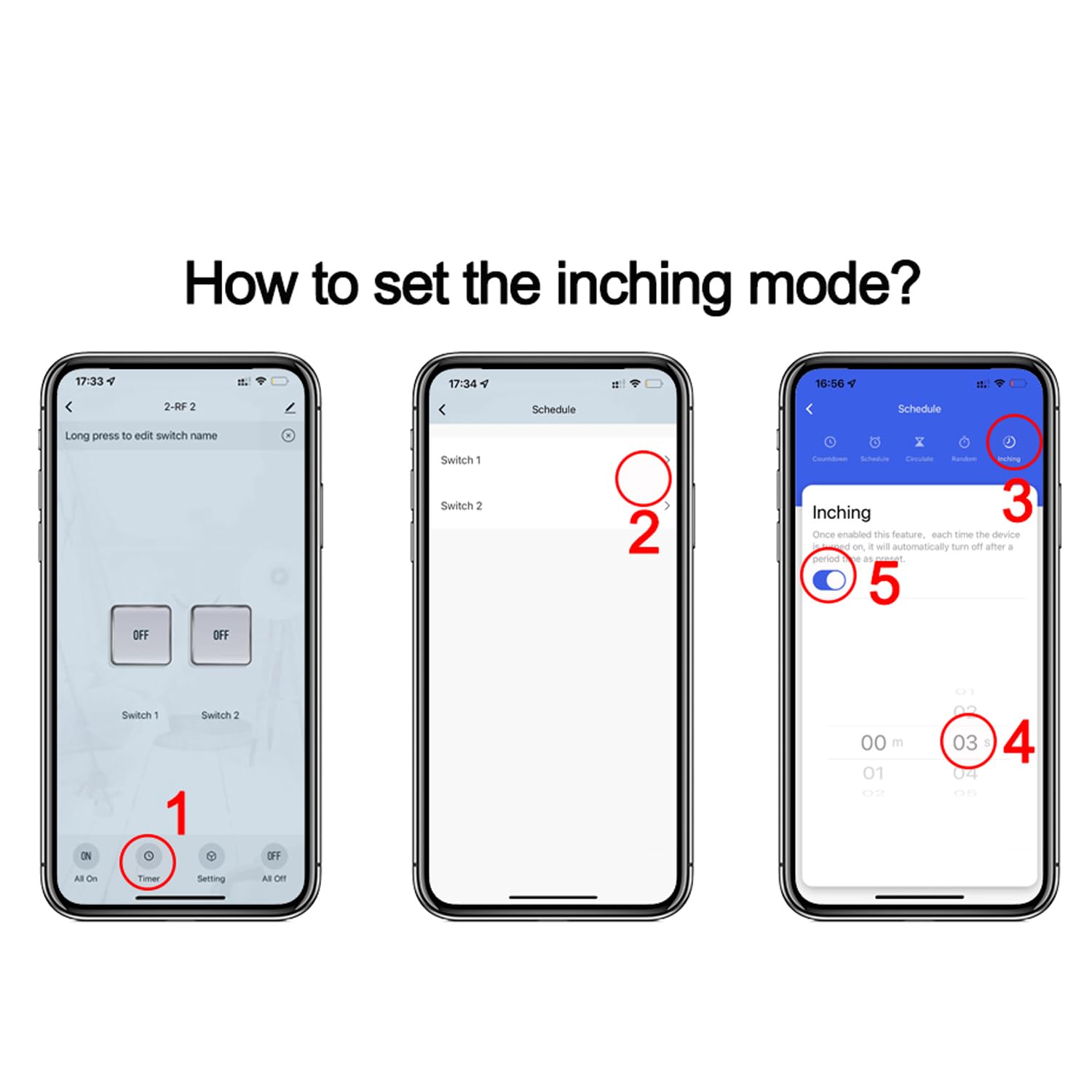
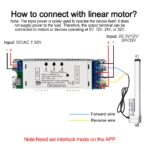
Supply power to the 2ch wifi smart switch with DC 5V or DC 7-32V. Since this controller does not output electricity but only outputs signals, electricity still needs to be input at the output end to enable the linear actuator to work.Pair it with the Smart Life APP.Set Channel 1 and Channel 2 as interlocked in the APP, so that Channel 1 and Channel 2 respectively control the forward rotation and the reverse rotation. If you need to set the running time for the forward rotation and the reverse rotation, set the jogging time to be between 1 and 3600 seconds, and the interval time is 1 second.
Functions:
Remote On/Off: Turn on/off electrical devices from anywhere.
App Support: Free iOS and Android mobile app Smart Life.
Timing: Set schedules to turn on/off at specified times.
Shared Control: Control your smart home together with your family.
Scenarios: Set up automation to turn on devices.
Network Support: Control electrical devices via Wi-Fi or 2/3/4G mobile networks.
Router: Only supports 2.4G WiFi and does not support 5G WiFi.

How to pair it with smart phone? Method 1
Search for “Smart Life” in the APP Store or Google Play, then download and install it.Register an account.Turn on the Bluetooth of your mobile phone and select the 2.4G WiFi frequency band.Power on the device. The device will automatically enter the network configuration mode (the indicator light flashes blinks(blink twice a second). If not, please press and hold the reset button for 5-7 seconds).
Method 1: Bluetooth mode
Click “+” to add a device. The device will be automatically detected. Then click “Add”, enter the WiFi password, click “Next”, and and wait for the connection.

How to pair it with smart phone? Method 2
Method 2: WiFi Mode
Click “+”, select “Electrical” – “breaker (BLE+WiFi)”, click the upper right corner, select “WiFi mode”, then click “Next”, “Next”,”Next”,select “Blink Quickly”, click “x”, enter the password, and wait for the connection.

How to set up an independent 2.4G WiFi?
Q: How do I set up a dual-band router to broadcast only a separate 2.4GHz Wi-Fi network?
A: The specific steps may vary depending on the router brand, but the general process is to log in to the router’s management interface, locate the option to disable band steering (or Smart Connect), and then configure the 2.4GHz network settings separately.
Product Dimensions : 4.76 x 1.57 x 1.06 inches; 4.8 ounces
Batteries : 1 12V batteries required. (included)
Date First Available : April 20, 2025
Manufacturer : Otcboimo
ASIN : B0DP53CTWV
Country of Origin : China
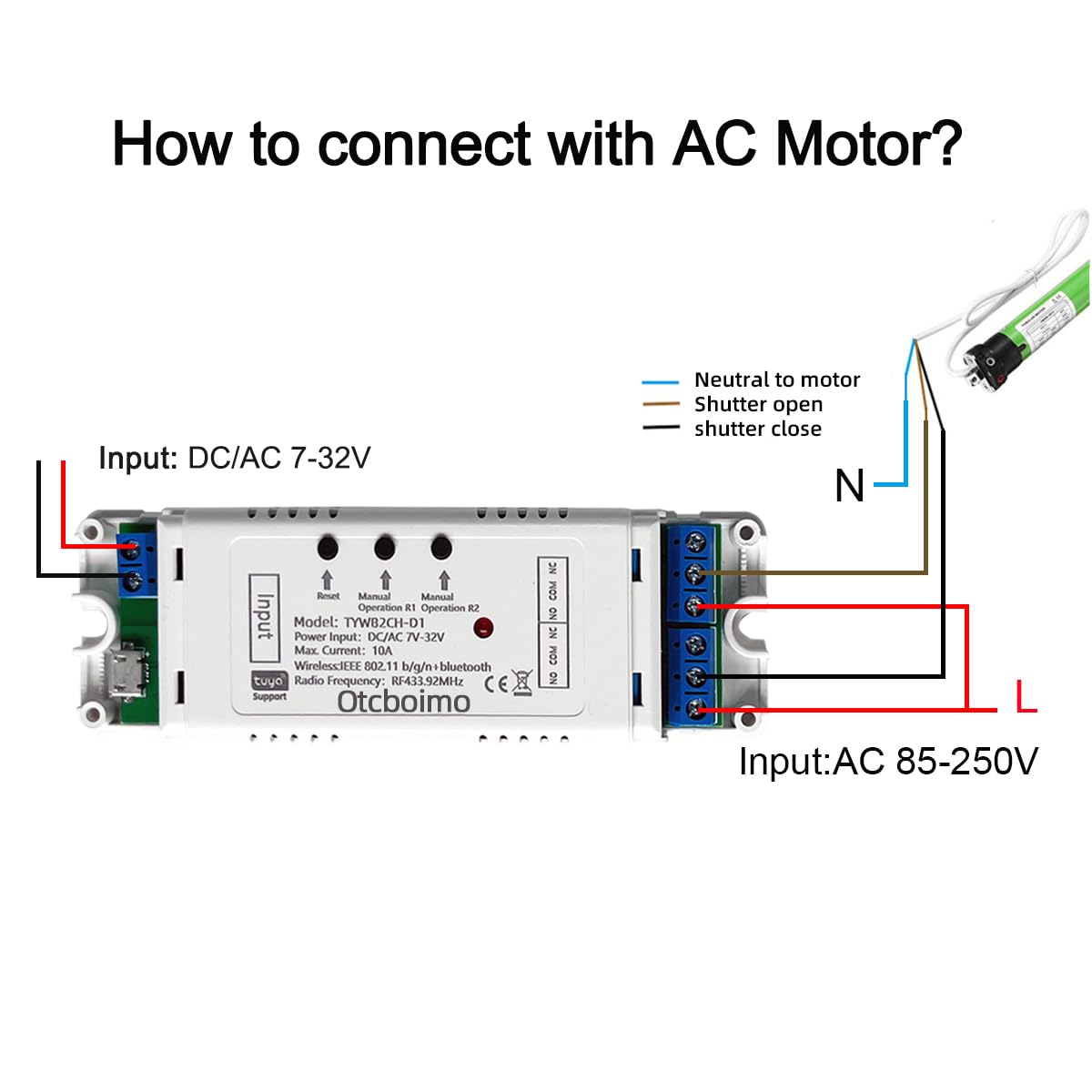
Reversing relay module. Power any commutation motor device and can be used in any application that requires the ability to reverse motion. You can automate electric linear actuator, roller blind, Shutter, Control DC motor and AC motor forward and Reverse.
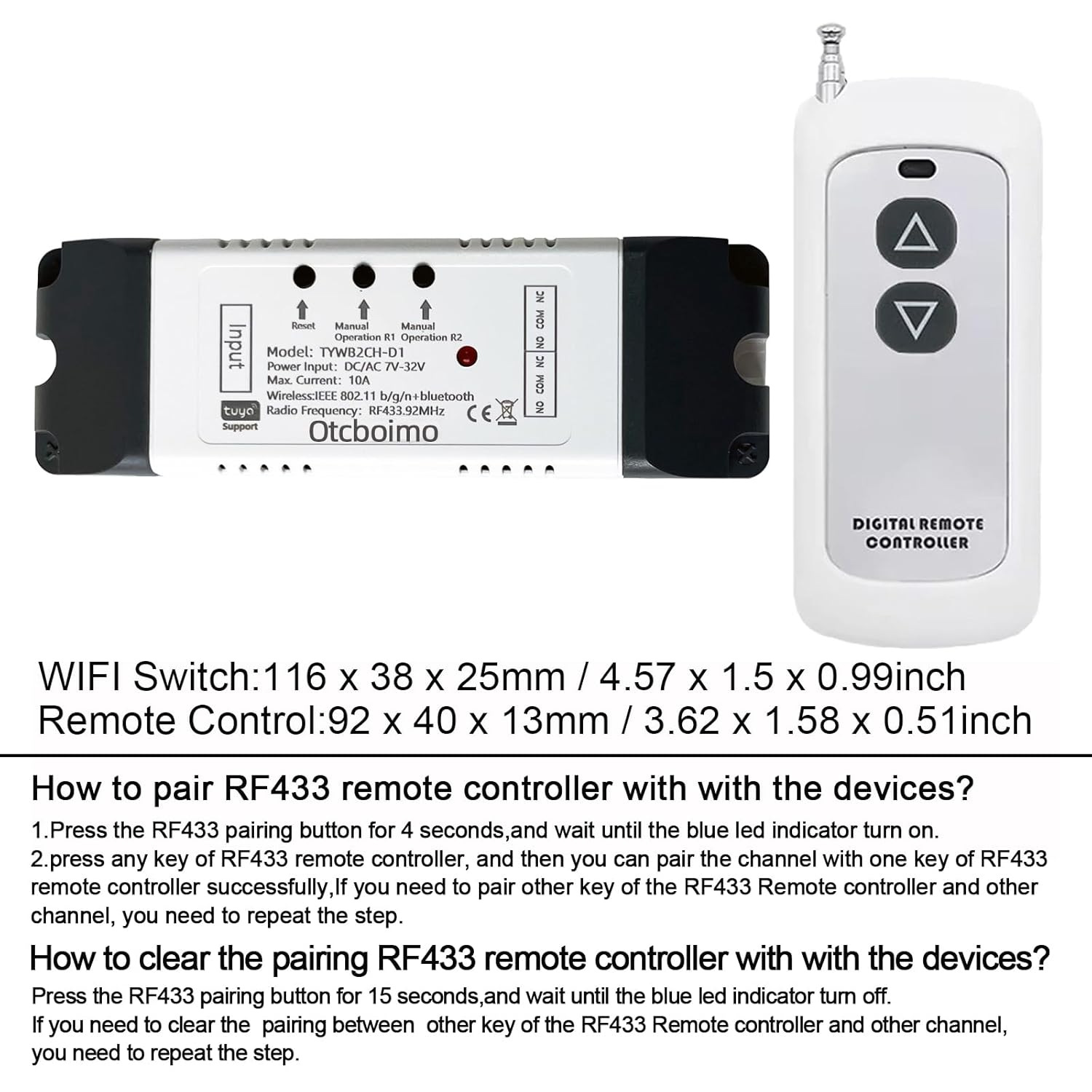
The switch has keys R1, R2 and does not support external switches. It supports RF433 remote control, mobile phone Tuya APP control, and manual button control.
You need to set the 2-way interlock mode in the APP firstly. For the first use case, press the R1 button, the motor rotates, and press the R1 button again to stop. Press the R2 button to change the direction and rotate, and press the R2 button again to rotate and stop. In the second use case, press the R1 button and the motor rotates, and press the R2 button and the motor changes direction and rotates.
You can also set the jog time for the 2-way relay from 1 to 3600 seconds; assuming the jog time is set to 5 seconds, it will automatically stop after pressing the R1 button for 5 seconds. The jog time of the two relays can be set differently.
Timing and Sharing – you can set timer schedules to automatically turn on/off your device according to your daily habits.You can share the conrtol to you family, make your home smarter, whole family can control home appliances through Tuya app It works from anywhere you have internet connection.









Reviews
There are no reviews yet.